15 November 2026, by Niraj Nagar
Why your WooCommerce products are limited in Google Shopping, and how to fix it
The most common Google Merchant Center feed problems for WooCommerce stores, why they limit your products, and the order to fix them in.
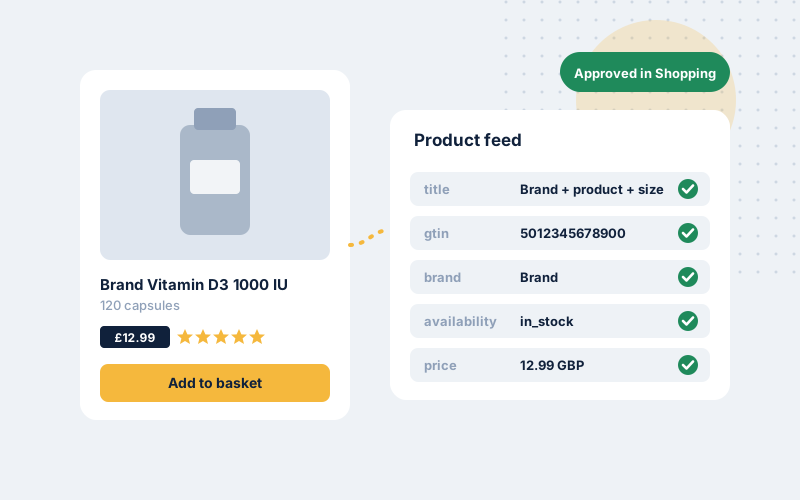
If your Shopping campaigns spend less than you budget, or some products never get impressions, the cause is usually in your product feed rather than the campaign. Google can only show products it understands and trusts. Here are the problems we see most often in WooCommerce feeds, roughly in the order we fix them.
1. Missing product identifiers
Google uses GTINs (barcodes), brand and MPN to match your product to the same item sold elsewhere. When they’re missing, products are often shown less, or only for very specific searches.
Fix: add GTIN and brand to every product that has them. WooCommerce has a built-in GTIN field in recent versions, and most feed plugins can map it. For products that genuinely have no GTIN, such as custom or handmade items, set the “identifier exists” attribute to “no” rather than leaving the field blank.
2. Price or availability mismatches
If the price or stock status in your feed doesn’t match the product page, Google may disapprove the product. Repeated mismatches can lead to account-level warnings. Common causes are discount plugins that change prices only on the page, currency switchers, and feeds that update less often than your stock changes.
Fix: make the feed read the same final price shoppers see, sale prices included, and refresh it at least daily. If you run discounts that only apply at checkout, keep them out of the advertised price.
3. Weak product titles
Feed titles are the main thing Google matches to search queries. A title like “Classic Tee” tells Google very little. “Organic Cotton T-Shirt, Men’s, Navy, Size M” matches far more searches.
Fix: build feed titles from brand, product type, key attributes and variant. Start with your best-selling and highest-margin products.
4. Policy flags in regulated categories
Health, supplement and beauty products often trip policy checks because of claims in titles or descriptions. Words that suggest a product treats or cures a condition are the usual trigger.
Fix: review flagged products, rewrite claims as factual descriptions, and check that your site shows clear contact details, returns and shipping policies. Google reviews the whole website, not just the feed.
5. Missing shipping and returns information
Shipping cost and delivery time influence both eligibility and click-through. Many WooCommerce stores never set them up in Merchant Center.
Fix: configure shipping and returns in Merchant Center to match your store policies.
Where to start
Open Merchant Center, go to the product diagnostics, and sort issues by the number of affected products. Fix account-level issues first, then the issues affecting your best-sellers. If you’d like a second pair of eyes, our free growth audit includes a check of visible feed problems.